Trust Wallet Scams: How Users Lose Funds and How to Protect Yourself
- Why Trust Wallet Is a Target
- Common Scam Schemes in Trust Wallet
- Fake Telegram Support
- Fake Chargeback / Recovery Offers
- Phishing Websites
- Fake Airdrops and Giveaway Scams
- Fake Programs / Wallet Boost Tools
- Wallet Connection / dApp Exploits
- Key Red Flags to Watch For
- How to Protect Your Trust Wallet
- What to Do If You’ve Been Scammed
- Final Thoughts
Trust Wallet is one of the most popular non‑custodial crypto wallets in the world — meaning users control their own keys and funds. That’s part of its appeal, but also what makes it a frequent target for scammers. In crypto, unlike banks, transactions cannot be reversed. If someone tricks you into approving a payment or sharing your keys, the funds are gone for good.
In 2025–2026, scam tactics have evolved. They often don’t involve “hacking” in the traditional sense — instead, they rely on tricking users into authorizing actions themselves. Knowing how these schemes work and how to spot them can save you from devastating losses.
Why Trust Wallet Is a Target
Trust Wallet’s security model means you are solely responsible for your seed phrase and transaction approvals. There’s no centralized customer service that can reverse a malicious transfer or unlock a compromised wallet.
Scammers exploit two things:
- User trust — people think familiar logos and messages are official.
- Human psychology — urgency, greed, fear of loss.
Because crypto is irreversible and self‑custody is empowering, attackers focus on deception rather than technical breaches.
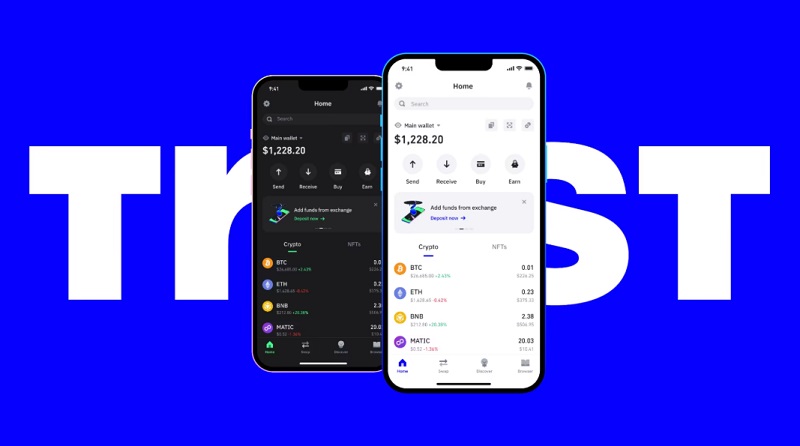
Common Scam Schemes in Trust Wallet
Below are the most widespread and dangerous schemes seen recently.
Fake Telegram Support
If someone reaches out claiming to be Trust Wallet support — especially unsolicited — proceed with extreme caution. Legitimate support will never message you first through Telegram.
Here’s how the scam works:
- A fake support agent contacts you and claims there’s a wallet problem or that you’re eligible for help. They may ask you to:
- provide your seed phrase or private key;
- send funds to a “safe address”;
- enter payment information on a fake site.
- Often, they push “help” through community groups, fake announcements, or impersonated accounts. They might also tell you about fake token drops to lure you deeper into the trap.
Official Trust Wallet support never requests seed phrases or private credentials. Trustworthy support channels are always found through the official app or the official Trust Wallet website.
Fake Chargeback / Recovery Offers
Recovery scams target users who already lost funds or fear they might have. Scammers use emotion and trust in the brand to manipulate victims.
Common pattern:
- They contact you via social media, email, or Telegram.
- Claim they can recover lost funds or fix a wallet issue.
- Ask for your seed phrase or a “processing fee”.
- As soon as they have your keys, they empty your wallet.
Some build entire fake “Trust Wallet recovery” sites where users are asked to submit their credentials. The scam is disguised as a legitimate process, but results in a total loss of access and funds.
Phishing Websites
Creating fake websites takes more technical skill, but the payoff is worth it for scammers. These sites mimic Trust Wallet’s official interface and content, making it easy to deceive users.
Common elements:
- copied logos and UI;
- misleading URLs (off by one character);
- social media promos and ad campaigns pointing to the site.
The goal is to get you to enter your seed phrase, approve a transaction and connect your wallet. Once that happens, attackers can transfer funds at leisure.
Fake Airdrops and Giveaway Scams
These are classic social engineering traps, updated for 2025–2026. Scammers know that people want free tokens — especially during bull markets.
Typical bait:
- “You won 500 USDT — claim now”.
- “Exclusive token airdrop for Trust Wallet users”.
Sometimes they even promise access to an abandoned wallet with funds, asking for a small “unlock fee” or transaction fee. Once the user sends funds or reveals keys, nothing happens — except the drain of the user’s wallet.

Fake Programs / Wallet Boost Tools
Scammers often promote fake tools — such as balance boosters, wallet enhancers, or ‘hack utilities’— claiming they can enhance your yield or unlock hidden funds. They’re usually distributed through:
- Telegram bots;
- Discord links;
- social media shares.
These tools require you to provide access, keys, or sign a transaction — which gives scammers control of your assets.
Wallet Connection / dApp Exploits
One of the most subtle and dangerous methods is malicious smart contract permission requests. This doesn’t require your keys — just your approval.
Typical flow:
- You connect your wallet to a DeFi or NFT site.
- A pop‑up asks you to “approve contract”.
- You sign, and your tokens become accessible to the scam contract.
The connection itself does not steal funds — but the signed permission does. And unlike passwords, approvals don’t expire unless you revoke them manually.
Key Red Flags to Watch For
- A support message coming out of nowhere. Legitimate Trust Wallet support never contacts users first. If someone messages claiming your wallet has an issue or offers help, it’s likely a scam. Scammers use urgency to push you into sharing sensitive info.
Example: “Your wallet is flagged — send your seed phrase to restore access.” Real support responds only after you reach out through official channels.
- Offers that sound too good to be true. Promises of free tokens, airdrops, or huge returns are almost always traps.
Genuine promotions are announced officially on the platform’s website or verified social channels, not via unsolicited messages.
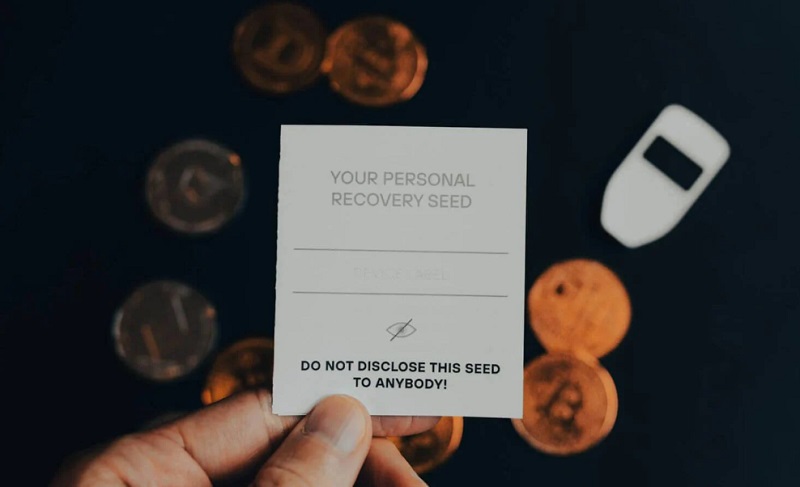
- Requests for seed phrase or private key. No service or support agent will ever ask for your private key or seed phrase. Sharing it gives scammers full control of your wallet.
Example: Being asked to paste your seed into a “verification tool” will immediately let attackers withdraw your funds.
- Unknown tokens suddenly showing up in your wallet. Receiving unexpected tokens can be a lure. Interacting with them — approving transactions or connecting to contracts — may grant access to all your assets.
Don’t touch unknown tokens; check contract addresses on verified sources and revoke approvals if unsure.
- Links from social media ads or unsourced messages. Phishing links appear via YouTube/Google Ads, Twitter/X, Telegram, or Discord. Scammers rely on users trusting these platforms.
Always access platforms via bookmarks or official apps. Never click links from messages or unverified ads.
- Domains that are slightly different from official ones. Scammers exploit typos or lookalike domains (trustwal1et.com, trust-wallet.net). Small differences are easy to miss.
Check URLs letter by letter and use bookmarks to access official sites.
How to Protect Your Trust Wallet
Protecting your Trust Wallet is less about technology and more about good habits, vigilance, and verification. Small mistakes can lead to total loss, so adopt these strategies consistently:
-
Never share your seed phrase or private key. No official service, app, or support agent will ever ask you for this information. Sharing your seed phrase is equivalent to handing over full access to your funds. Even scammers pretending to be “technical support” or offering “wallet recovery” will ask for these. Store your seed phrase offline, ideally on paper or a secure hardware device. Never type it into a website, message, or email.
-
Use separate wallets for interaction. Keep your main storage wallet isolated from your everyday transactions. Use a second “interaction wallet” for DeFi platforms, NFTs, and token trades. This limits exposure if a dApp or site turns out malicious.
Example: If a scam drains your interaction wallet, your main assets remain untouched.
-
Access official sites via bookmarks. Always use bookmarks or the official app to reach exchanges, dApps, or Trust Wallet portals. Avoid clicking links from Telegram, Discord, Twitter/X, YouTube ads, or email messages. These are the most common sources of phishing attacks. Double-check the URL even from bookmarks, especially after software updates, because malicious browser extensions can redirect you.
-
Revoke permissions regularly. Check what approvals your wallet has granted using tools like revoke.cash. Many users unknowingly give unlimited access to malicious contracts or tokens. Periodically revoke permissions for contracts and tokens you no longer use. Set reminders to audit wallet approvals monthly, especially after participating in airdrops or promotions.
-
Avoid signing anything you don’t fully understand. Even legitimate platforms can be spoofed. If a transaction request looks unusual, double-check the URL, transaction amount, and destination address before signing. Use test transactions with small amounts before committing significant funds, particularly when connecting to new platforms.
-
Consider a hardware wallet for larger balances. For substantial crypto holdings, a hardware wallet like Ledger or Trezor adds a layer of physical security. Even if your computer is compromised, a hardware wallet prevents remote access to your keys.
What to Do If You’ve Been Scammed
Acting quickly can significantly reduce losses. The moment you suspect fraud, treat it as an emergency:
- Disconnect your wallet immediately. Close the browser tab or app where the interaction occurred. Avoid further clicks, approvals, or messages from the suspected site.
- Revoke permissions. Use tools like revoke.cash or wallet settings to remove any approvals granted to suspicious contracts. This can prevent ongoing access to your funds. Example: If you accidentally connected your wallet to a phishing site, revoking permissions can block automatic draining.
- Transfer remaining funds to a new wallet. Create a fresh wallet with new seed phrases and move unaffected assets there. This ensures any lingering access by attackers is neutralized. Move funds in small batches first to verify the new wallet is secure.
- Scan your device for malware. Some phishing scams come with keyloggers or malicious software. Use reputable antivirus and anti-malware tools to check your computer or smartphone. Consider using a clean device for future transactions if compromise is suspected.
- Change passwords and 2FA on all related accounts. Update passwords for your email, crypto exchanges, and any linked financial accounts. Enable 2FA wherever possible to prevent unauthorized access.
If an exchange is involved, contact support immediately. Note that recovery is difficult — crypto transactions are irreversible — but tracing, freeze requests, and chargebacks sometimes help if funds hit centralized exchanges.
You can also check out the article What to Do If Your Crypto Wallet Was Hacked
Final Thoughts
Trust Wallet itself is secure — but the user still holds the keys. Scammers don’t break the vault — they trick you into opening the door. In 2025–2026, phishing schemes have become sophisticated and psychologically clever, but the core prevention remains the same: slow down, verify everything, and never reveal your secrets. Your vigilance is the strongest defense.
Get professional help with your case.