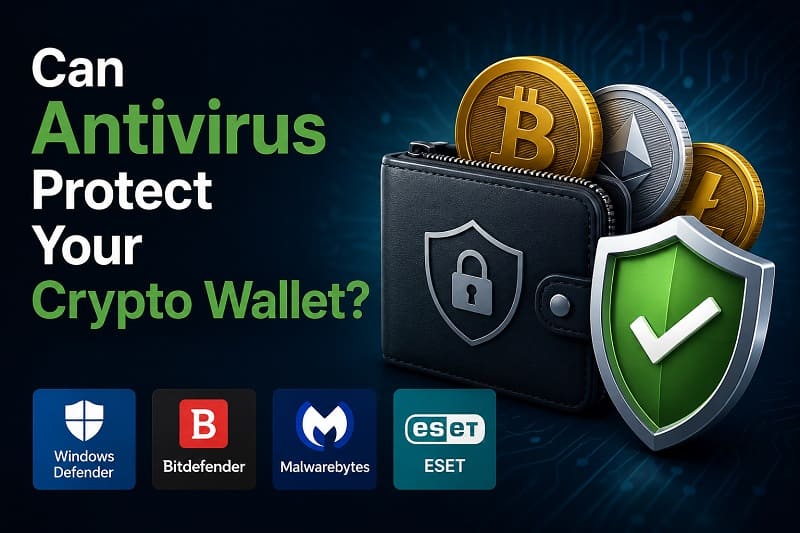
Can Antivirus Protect Your Crypto Wallet? Comparing Windows Defender, Bitdefender, Malwarebytes, and ESET
- Scope of Antivirus Protection
- Attack Vectors Antivirus Does Not Cover
- Windows Defender vs. Commercial Products
- Signature Phishing
- Wallet Drainers
- Fake Wallet Updates
- Clipboard Hijackers
- Product Comparison for Crypto Users
- Security Stack Recommendations
- User Behavior
- Summary
- FAQ
- Sources
Cryptocurrency theft methods have changed. Earlier attacks used malware that scanned for wallet files or logged keystrokes. Current attacks rely more on phishing websites, malicious browser extensions, fake wallet updates, and deceptive transaction requests. In many incidents, the victim approves the action that empties the wallet.
Question: does antivirus software reduce risk under these conditions?
Yes, but within specific boundaries.
Antivirus detects malware, blocks ransomware, stops dangerous downloads, and identifies many phishing sites. AV-TEST data shows that Microsoft Defender, Bitdefender, and ESET achieve high detection rates against current malware.
However, antivirus does not prevent users from signing fraudulent blockchain transactions or entering seed phrases on fake sites. Those attacks exploit user behavior, not system vulnerabilities.
Scope of Antivirus Protection
Antivirus protects the device, not the cryptocurrency itself. This distinction affects threat modeling.
Antivirus targets malicious code that compromises the operating system or extracts sensitive data. If malware does not reach the system, many crypto attacks fail at the initial stage.
Detectable threats include:
- Trojans that install backdoors.
- Infostealers that capture browser passwords and wallet data.
- Keyloggers.
- Clipboard hijackers that modify copied addresses.
- Ransomware.
- Malicious downloads and email attachments.
Commercial suites add anti-phishing, URL filtering, scam detection, and browser-level protection. Bitdefender includes scam-specific modules; Malwarebytes covers phishing and fraud prevention.
Attack Vectors Antivirus Does Not Cover
Antivirus provides minimal protection against attacks that depend on user-authorized actions:
- Signing malicious smart contracts.
- Approving unlimited token allowances.
- Entering seed phrases into fake wallet pages.
- Sending funds directly to scammer-controlled addresses.
- Confirming fraudulent WalletConnect requests.
These do not require malware execution. They are social engineering. The operating system sees only legitimate user input.
Also Read: Financial Tools and Services That Flag Suspicious Wallets
Windows Defender vs. Commercial Products
Microsoft Defender is preinstalled on Windows. Its detection capabilities have improved. AV-TEST 2026 scores place Defender alongside top commercial products in protection, performance, and usability.
For routine use, Defender handles common malware and suspicious downloads without subscription fees.
Commercial suites add functionality:
- Anti-phishing.
- Scam detection.
- Exploit prevention.
- Behavioral monitoring.
- Secure browsing modes.
- Identity protection.
- Network attack detection.
The need for these extras depends on usage patterns. Users who store assets in hardware wallets and avoid DeFi interactions may not require additional layers. Users who regularly interact with new DeFi protocols, install extensions, test Web3 apps, or download crypto software from multiple sources have a larger attack surface. In those cases, Bitdefender or ESET may reduce exposure to emerging threats. Independent tests rank all three products near the top in 2026.
| Threat Type | Windows Defender | Bitdefender | Malwarebytes | ESET |
|---|---|---|---|---|
| Traditional malware | Strong | Strong | Strong | Strong |
| Infostealers | Good detection | Behavioral detection | Detection + remediation | Behavioral monitoring |
| Clipboard hijackers | Often detected | Often detected | Often detected | Often detected |
| Known phishing sites | Basic browser protection | Web protection | Scam/web protection | Web access protection |
| Malicious downloads | Yes | Yes | Yes | Yes |
| Malicious crypto transaction signing | No | No | No | No |
The final row marks the boundary. Antivirus prevents code execution but does not evaluate transaction content.
Signature Phishing
Signature phishing is a growing category. Unlike credential phishing, it asks the user to approve a seemingly normal wallet request:
- Connecting to a fake application.
- Approving token permissions.
- Confirming Permit signatures.
- Authorizing smart contract interactions.
These prompts resemble routine DeFi operations. Wallets execute them as instructed once signed. Antivirus cannot assess whether a smart contract should receive spending authorization.
Wallet Drainers
Wallet drainers exploit permissions granted by the user, not private key theft. Process:
- User visits a fraudulent site.
- Wallet requests signature.
- User approves.
- Contract receives permission.
- Tokens are transferred.
The transaction uses standard blockchain mechanisms. Antivirus lacks context to block individual smart-contract interactions without breaking normal functionality. Web protection may flag known malicious domains, but unknown sites bypass this filter.
Also Read: Crypto Wallet Approval Scams: How Hackers Drain Funds Without Passwords
Fake Wallet Updates
Fake update attacks follow a pattern. Users receive messages about urgent wallet upgrades. Links direct to convincing copies of official sites. Two variants:
- Site requests seed phrase entry.
- Site requests wallet connection and transaction approval.
Antivirus may block some fraudulent domains or payloads. It does not prevent manual seed phrase entry or authorized signature requests.
Clipboard Hijackers
Clipboard hijacking remains a malware-based threat. The software monitors copied crypto addresses and replaces them with attacker-controlled addresses. If undetected, funds route to the wrong destination.
This attack involves executable malware. Behavioral monitoring, memory scanning, and signatures can detect clipboard hijackers. Advanced variants generate visually similar addresses, making hardware wallet verification necessary.
| Attack Scenario | Antivirus Effectiveness | Primary Mitigation |
|---|---|---|
| Malware-infected wallet app | Usually effective | Malware detection |
| Clipboard hijacker | Often effective | Behavioral monitoring + address verification |
| Known phishing site | Partial | URL filtering |
| Seed phrase entry on fake site | Low | User verification |
| Malicious Permit/SetApprovalForAll | None | Transaction review |
| Voluntary transfer to scammer | None | Payment verification |
Product Comparison for Crypto Users
No product ranks as universally best. Differences exist in feature sets and user experience.
- Microsoft Defender: High malware detection, low false positives. Sufficient for users with limited third-party crypto interaction.
- Bitdefender: Multi-layer approach—behavioral analysis, anti-phishing, anti-fraud, scam detection. Suitable for frequent DeFi users.
- Malwarebytes: Transitioned to broader suite with Scam Guard, identity monitoring, web protection. Straightforward interface.
- ESET: Host Intrusion Prevention (HIPS), behavioral monitoring, exploit mitigation, configurable policies. Targeted at experienced users.
All four perform comparably on traditional malware according to independent tests. Differences appear in phishing handling, permission management, and social engineering defense.
Security Stack Recommendations
Antivirus serves as one component. A practical setup includes:
- Hardware wallet for long-term holdings.
- Microsoft Defender or commercial antivirus.
- Password manager with unique credentials.
- Multi-factor authentication where supported.
- Browser extensions from verified publishers.
- Periodic token approval audits (e.g., Revoke.cash).
- Separate browser profile for crypto operations.
This layered design reduces reliance on any single control. Reducing unnecessary exposure — fewer extensions, official downloads only, minimal connections to unknown sites — often provides more risk reduction than adding multiple security applications.
User Behavior
Security researchers consistently identify users as the primary failure point. A wallet drainer does not require OS compromise; it requires one approved transaction. A fake wallet update succeeds when the user enters credentials or signs a request.
The OS may remain intact. The blockchain executes authorized operations. Recognizing fraudulent domains, reviewing permissions, and understanding signature scope are necessary skills.
Summary
Antivirus contributes to crypto security. It blocks malware, detects clipboard hijackers, and identifies many phishing sites. These functions reduce exposure to code-based attacks.
However, current crypto losses increasingly originate from actions antivirus cannot evaluate: seed phrase disclosure, unlimited token approvals, and voluntary asset transfers. These are user decisions, not infections.
A robust defense combines multiple layers:
- Hardware wallet for key storage.
- Antivirus for endpoint protection.
- Security practices for user decisions.
Each layer addresses a distinct risk. Combined, they reduce overall vulnerability.
FAQ
Is Windows Defender adequate for crypto users?
For many, yes. Detection rates are comparable to commercial products. Users with high DeFi exposure may benefit from additional web and phishing protection.
Does antivirus stop wallet drainers?
Generally no, if the user approves the transaction. Antivirus covers the OS, not blockchain permissions.
Can antivirus prevent seed phrase theft?
Partially, through phishing site blocking. It cannot prevent manual entry on convincing fake pages.
Does a hardware wallet replace antivirus?
No. Hardware wallets secure keys; antivirus secures the device. Different threat models.
Is multiple antivirus software recommended?
No. Conflicts and performance issues outweigh marginal protection gains.
Sources
Get professional help with your case.