How to Identify Fake Wallets on App Stores: Protect Your Crypto in 2025–2026
- How Fake Wallets Work
- Key Red Flags on App Stores
- Verification Steps Before Downloading
- Security Settings Once Installed
- Reporting and Recovery
- Conclusion
- FAQ
In 2025–2026, mobile crypto wallets have become one of the most popular ways to manage digital assets. Users appreciate the convenience of storing, sending, and receiving cryptocurrency directly on their phones. However, this convenience has attracted scammers who create fake wallet apps designed to steal funds, private keys, or sensitive personal information. Regulatory agencies such as the FCA (UK), SEC (US), and FTC have issued repeated warnings about these fraudulent apps, emphasizing that even “top-rated” wallets on app stores can be fake.
A common scenario illustrates the risk: James, a mid-30s investor, downloaded a wallet app that appeared legitimate with professional branding and high ratings. Within hours of importing his seed phrase, he noticed suspicious transactions and realized the app was fraudulent. By the time he understood what had happened, some funds were already gone. Unfortunately, stories like James’ are becoming increasingly common as scammers leverage mobile platforms, AI-generated reviews, and app store impersonation.
How Fake Wallets Work
Fake wallets are not just simple copies of legitimate apps — they are carefully crafted to exploit trust and convenience. Common techniques include:
- Phishing for Private Keys: Users are asked to input their seed phrases or private keys, which are then sent to the scammer.
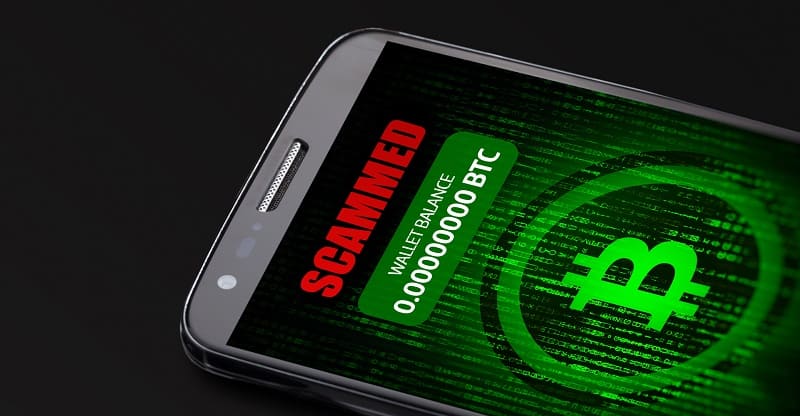
- Displaying Fake Balances: Some apps show inflated or fake crypto balances, luring users into believing they have more funds than they actually do.
- Credential Theft: Scammers harvest login details, biometric data, or other sensitive information.
- In-App Investment Promises: Some fake wallets include fake “trading” interfaces that simulate gains to encourage further deposits.
Many scammers rely on the user never verifying the app’s authenticity, exploiting impatience and trust in app store ratings.
Also read: Financial Tools and Services That Flag Suspicious Wallets Before You Send Funds
Key Red Flags on App Stores
Identifying a fake wallet before downloading is critical. Common warning signs include:
- Cloned Names and Logos: Fake apps often imitate established wallets by changing a single letter or logo detail.
- AI-Generated Reviews: Very high ratings with short, repetitive reviews can indicate manipulation.
- Suspicious Developer Info: Unknown developer names, or multiple wallets under slightly different brands.
- Recent Publication Dates: An app claiming popularity but recently published should be treated with caution.
- Unrealistic Promises: Any app promising guaranteed profits, extremely high returns, or “double your crypto in days” is likely a scam.
Being aware of these signs helps users avoid costly mistakes.
Verification Steps Before Downloading
Before installing any wallet, follow these verification steps:
- Check the Developer: Compare developer details with official wallet websites. Reputable wallets will link to official app store listings.
- Official Website Links: Only download apps through official website links, not search results on the store.
- Compare Screenshots: Review app screenshots against the official documentation to spot discrepancies.
- Online Research: Search for complaints, reviews, or scam warnings on forums like Reddit, Twitter, and crypto communities.
- Check Metrics: Review download counts, update frequency, and required permissions. Excessive or unusual permissions can indicate malicious intent.
These steps align with 2025–2026 SEC, FCA, and Investor.gov recommendations for safe crypto practices.
Security Settings Once Installed
If you have installed a verified wallet, additional measures can reduce risks:
- Enable two-factor authentication (2FA) or biometric protection.
- Avoid storing large amounts in mobile wallets; consider hardware wallets for substantial holdings.
- Backup your seed phrase securely, never storing it online or on your phone.
- Monitor transactions for irregular activity or unexpected token deposits.
Even legitimate wallets can be compromised if account hygiene is poor.
If you suspect a wallet breach, follow our guide What to Do If Your Crypto Wallet Was Hacked
Reporting and Recovery
If you encounter a fake wallet or suspect a scam:
- Report to App Stores: Notify Apple or Google immediately.
- Regulatory Reporting: File complaints with FCA (UK), SEC (US), or local authorities.
- Track Funds: Use blockchain explorers to trace stolen cryptocurrency. While recovery is challenging, this information can help law enforcement or exchanges freeze funds.
- Warn Others: Share verified warnings in crypto forums or social media to prevent further victims.
Quick action can limit losses and help authorities intervene.
Conclusion
Fake wallet apps are one of the top threats to mobile crypto users in 2025–2026. Scammers exploit social media influence, app store trust, and AI-generated content to steal funds and credentials. By understanding red flags, verifying apps before downloading, maintaining strong security practices, and reporting suspicious activity, users can significantly reduce the risk of falling victim to these scams. Safe crypto storage begins with vigilance and verification.
FAQ
- How can I tell if a wallet app is fake?
Look for cloned names, developer discrepancies, AI-generated reviews, unrealistic promises, and unusual permissions.
- Can I recover crypto stolen from a fake wallet?
Recovery is difficult but possible if funds are traced quickly. Reporting to authorities may increase chances of intervention.
- Are official app stores always safe?
No. Fake wallets have appeared on Apple App Store and Google Play, often impersonating legitimate apps. Always verify via official links.
- What is a seed phrase and why is it risky?
A seed phrase is a master key to your wallet. Entering it into a fake wallet allows scammers to control your funds.
- How important are 2FA and biometric security?
Extremely important. These features reduce the risk of unauthorized access even if login details are compromised.
- Should I store large amounts in a mobile wallet?
No. Mobile wallets are convenient for daily transactions, but hardware wallets are safer for significant holdings.
- Can fake wallets display fake balances?
Yes. Some apps show inflated or nonexistent balances to trick users into depositing more funds.
- What should I do if I already entered my seed phrase into a fake app?
Immediately move any remaining funds to a verified wallet, change all related passwords, and report the incident to authorities.
- How can I stay updated on wallet scams?
Follow regulatory agencies like SEC, FCA, and cybersecurity firms for real-time warnings and guidance.
If you suspect you’ve downloaded a fake wallet or lost funds to a fraudulent crypto app, request a free consultation with the StockView team. Specialists can review your wallet, analyze transactions, and help you understand possible next steps to protect your crypto.
Get professional help with your case.