TradingView Platform Review: Features, Functions and Characteristics of this Trading Service
- What is TradingView and what is this platform used for?
- TradingView Programme Features
- Registration on the TradingView Platform: Free and Paid Versions, and Whether a Demo is Available
- Which markets are available?
- How to navigate the start page
- Advantages of TradingView for a trader
- TradingView Features
- Are there any alternatives to the TradingView platform?
- Conclusion
Trading assets has become one of the most popular activities among the general public. Almost every second person knows about investing, cryptocurrencies, financial markets, Forex trading, as well as concepts such as portfolio diversification, profit, margin, staking, and so on.
However, no trading activity is complete without thorough and accurate analysis, as well as the use of specific strategies to generate profit from various assets. That is why various software tools come to the rescue, designed to provide in‑depth analysis, precise charting and price movement forecasts.
One such programme is TradingView. It is worth noting that the TradingView logo can often be seen on various broker websites. Many people have probably wondered what this programme is and why brokers rely on it. Let’s take a closer look.
What is TradingView and what is this platform used for?
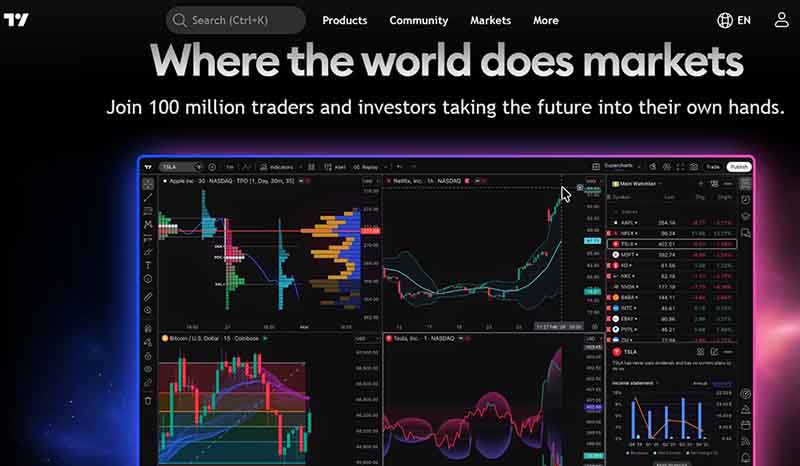
TradingView is an analytical online service, a platform and a social network for traders and investors. “Follow the markets from anywhere in the world” – that is the core idea behind this platform. Thanks to it, more than 50 million people worldwide engage in successful trading, creating various charts, sharing ideas, trading different systems both short‑term and long‑term, and investing.
The project was launched back in 2011. Today, there are both free and paid versions of the service, for example a free app as well as paid subscriptions in three tiers with different conditions and features. The creators of this powerful platform are Konstantin Ivanov and Denis Globa.
It is worth noting that this service is licensed and is very friendly with systems such as Microsoft Windows, OS X, Windows Mobile, iOS, Android, Windows Phone 7 and BlackBerry OS.
Why is this charting tool so good? The reason is that some of the basic built‑in charting tools on broker platforms do not allow you to properly view the price history over a previous period, making it impossible to forecast price movements in order to place well‑informed trades and minimise risk.
TradingView Programme Features
This is a browser‑based platform that is an ideal tool for monitoring cryptocurrencies and other financial assets, building charts, and obtaining information from financial markets.
A key feature of the platform is that you do not need to integrate anything with broker charts or TradingView. In many cases, if a broker is reputable, both platforms display the same data – they broadcast quotes received from another provider. The quotes themselves are provided by prime brokers (specialist firms or investment banks).
However, there are numerous quote providers, and they supply what is known as a data feed, while TradingView displays the numbers on the chart. For example, TradingView shows quotes from the well‑known broker FXCM and from a number of other providers. Its counterpart, MetaTrader, may show slightly different quotes – and that is perfectly normal. Overall, they all show the same information, with only minor differences.
Registration on the TradingView Platform: Free and Paid Versions, and Whether a Demo is Available
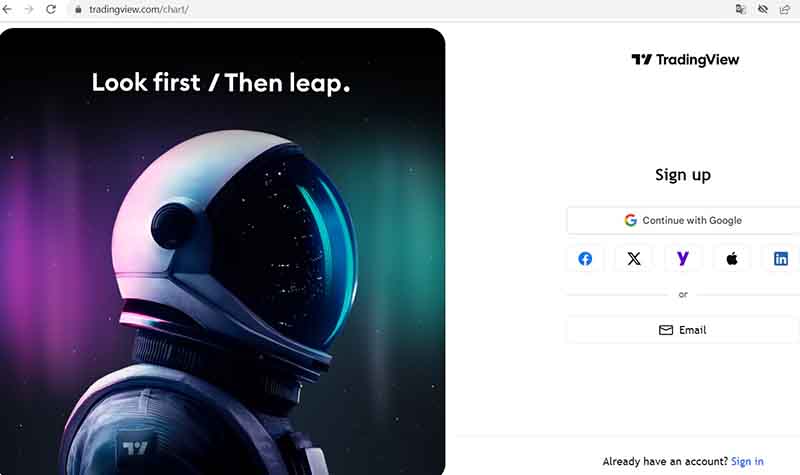
In general, you can use the programme without even registering. However, if you wish to join the community, share or use strategies and ideas, or communicate with other traders, you will of course need to register.
Registration on the site is quite standard. Simply click on the user icon in the top‑right corner of the page, where a pop‑up window will appear asking you to log in. By clicking there, you can either log in to the site or register. In the next window that opens, you will need to enter your email address or sign in using one of the social media options provided on the platform.
Regarding pricing, at the time of writing this review we happened to be during Black Friday, popularly known as Black Friday, with huge discounts.
Therefore, we provide three types of paid accounts. Below are the standard prices for the three account types without any discounts:
- Essential: 14.95 USD per month.
- Plus 29.95 USD per month.
- Premium: $59.95 USD per month.
This pricing is for non‑professional traders. The website shows monthly prices for each account, but you can also purchase an annual subscription.
For professionals, the pricing is somewhat different:
Payment can be made either monthly or annually. The choice depends on the services included in each package, which cater to different needs. Therefore, each trader must decide for themselves what suits them best.
- Expert: 199.95 per month or 2,399.40 per year.
- Elite: 349.95 per month or 4,199.40 per year.
- Ultimate: 499.95 per month or 5,999.40 per year.
As can be seen, trading on the platform is not merely a pastime but a diligent effort, upon which depends not only the trader’s own financial well‑being but also that of the company as a whole. Since financial analysts engage in trading to increase a company’s budget, corporate funds and so on, it is important to purchase the highest quality services for analysis, strategy selection, risk minimisation and, of course, capital growth.
Incidentally, the platform also offers a demo account that allows trading with virtual funds. This is an excellent way for beginners to consolidate what they have learned. You can reset the demo account balance at any time from the account settings. After a reset, all orders and the balance history will return to their original settings.
Which markets are available?
Regarding markets, the platform offers access to markets from all over the world. Users have access to stocks, ETFs, cryptocurrencies, forex, indices, futures, bonds and the global economy.
The list of markets includes a number of countries, such as Russia, the United States, Canada, the United Kingdom, Germany, India, Japan, China, Hong Kong, Saudi Arabia and Australia. These are the top ones. However, there is also an extensive list for any of the countries available on the platform.
How to navigate the start page
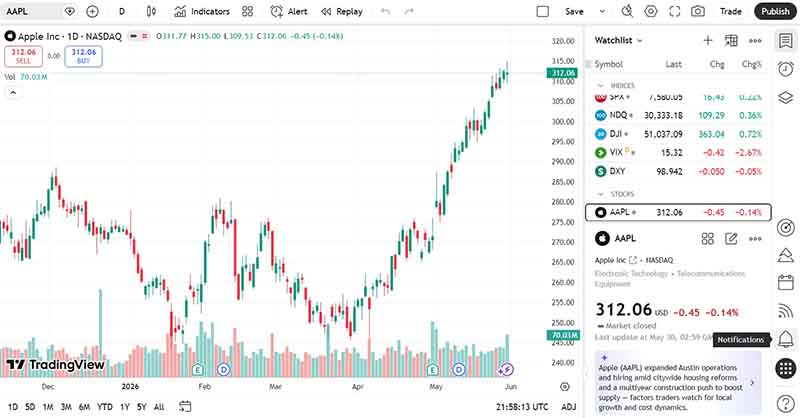
When you enter the TradingView platform through your account, on the right‑hand side of the browser window you will see lists of quotes, various tabs for alerts, ideas, opinions and news. There are also tabs for market leaders, a calendar, ideas, a chat, as well as an ideas feed, broadcasts and notifications. At the top is a search bar, and to its left there is a menu that allows you to navigate to products, the community, markets, news and brokers. There is also a help centre, an available app and a mobile version, business technologies and information about the TradingView company itself.
In the centre of the browser window, the user sees an overview of the markets for indices, stocks, currencies, forex, futures and bonds. Charts, real‑time quotes, selected timeframes below, line or candlestick charts, and so on are displayed. Trading ideas, educational video tutorials and scripts are also offered. There is also the possibility of watching live streams on trading ideas, education and more.
In addition, you can join the community, find out the leaders by volume, the leaders in growth or decline, and stay up to date with news on various assets. You can also learn about the world’s largest companies, stock growth or decline, who the biggest employer in the world is, and view rankings.
In other words, TradingView offers an incredible number of products, from super‑charts to widgets that users often see on broker websites.
Advantages of TradingView for a trader
So, what opportunities do traders gain from using the TradingView platform?
- Users can use the TradingView platform according to their own needs, customising trading charts as they see fit.
- They can select specific timeframes to analyse price movements.
- A wide range of lines, patterns and drawing tools are available to build trading strategies.
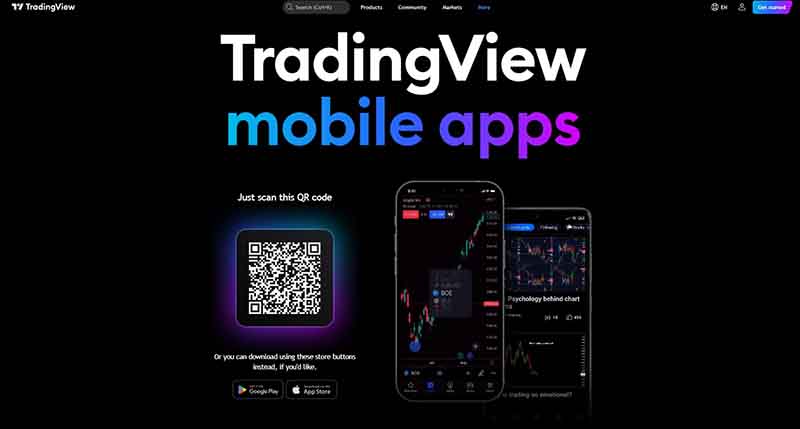
- Accessibility via mobile apps and any other devices through the browser version and the pre‑installed application.
- Users get simplified display of stocks and underlying assets.
- The ability to use both paid and free trading accounts.
- Work with personal positions, with the option to publish trading knowledge and strategies.
- The opportunity to share opinions, learn and study various trading tactics simultaneously.
- Receive feedback and likes from other traders on personal reviews and on specific strategies
TradingView Features
The functionality of TradingView is quite extensive. Traders can access the main features of this platform and carry out automated trades, which is ideal for those who are not fully versed in analysis, as automated trading using signals allows them to follow the price of an asset.
In addition, there are several other advantages that traders can enjoy when using this platform:
- Real‑time alert functions.
- Multiple trading indicators on a single chart (more than 30).
- The ability to test trading strategies.
- Heat maps.
- Tracking rising/falling asset price markets.
- Automated technical analysis.
- Live trading strategies and trades of other traders.
- Various chart types.
- Timeframes for charting.
- Asset comparison.
- A variety of indicators and drawing tools.
- Educational materials and video content.
- News that affects price movements.
- Public and private chats.
- Strategy tester, brokers.
- Free demo account.
- Support on TradingView.
By the way, users can join the TradingView affiliate programme and earn $15 for each user they refer.
Are there any alternatives to the TradingView platform?
Of course, TradingView is not a cure-all for every ailment. It is undoubtedly a great trading platform with everything you need for trading and investing. However, it is not the only service of its kind that can be used to make trading decisions.
There are, in fact, many platforms similar to TradingView.
For example, if we talk about similar platforms, you could just as easily use:
- Binance, which in recent years has overtaken Investing in popularity.
- Investing – a well‑known, reliable service popular among traders and financial experts.
- CoinMarketCap – the well‑known cryptocurrency platform for tracking prices.
- EasyMarkets, Capital.com, Pepperstone, FINVIZ, Forex Factory, Bybit, Barchart, Free Stock Charts, Etherscan.
MetaTrader, for example, is a trading terminal used for forex trading as well as for trading futures, stocks and cryptocurrencies. It also includes trading systems for buying and selling assets in a user‑friendly mode.
These platforms are similar in functionality to TradingView, so they can be used just as effectively for building strategies, charting, analysis, trading and so on.
These platforms are not listed in any particular order or by functionality – they all have a number of advantages that help users to forecast, choose their trading strategies, develop new ones, analyse or learn.
TradingView itself has proven to be a real gem for many, allowing you to track price charts over any time period. This is useful not only for options, but also works well for forex and stock exchanges.
Conclusion
The TradingView platform is a thoroughly decent next‑generation service, with various functions – including social features – brilliantly implemented. It can be called a great find for both beginners in trading and investing, as well as for professionals. The free version provides a wealth of diverse and essential information on the movement of any given asset.
It is an excellent service for online trading, offering all the necessary functions and opportunities for increasing capital, minimising risk, diversifying a portfolio, and so on. You can learn and grow, run your own blog, share strategies, trade for your own benefit, use the strategies of other traders, or simply take note of them. In any case, the versatility and potential of this platform are huge, making it convenient for everyone to use.
Get professional help with your case.